
Introduction
Power BI Desktop is a widely used tool for data analysis and visualization, enabling organizations to turn raw data into actionable insights. While many use it for descriptive reporting, predictive analytics within Power BI Desktop allows businesses to go beyond historical analysis and forecast future outcomes.
By combining native features with R, Python, and Azure integrations, Power BI Desktop becomes a practical platform for embedding predictive models into everyday business intelligence.
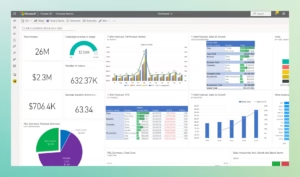
What Is Predictive Analytics in Power BI Desktop?
Predictive analytics uses statistical techniques, machine learning algorithms, and forecasting models to estimate future trends. In Power BI Desktop, predictive analytics can be performed in three primary ways:
- Built in forecasting in visuals.
- Scripting integration with R and Python.
- Connecting to Azure Machine Learning models.
Preparing Data in Power BI Desktop
- Use Power Query to clean and transform raw datasets.
- Ensure data continuity for time-series analysis no missing intervals.
- Create measures in DAX for calculated trends, growth percentages, or averages.
Data preparation is critical because predictive accuracy depends heavily on data quality.
Using Native Forecasting
Power BI Desktop includes basic forecasting tools:
- Add a line or area chart.
- Open the Analytics pane.
- Add a Forecast with a specified horizon and confidence interval.
This method is suitable for sales forecasts, demand planning, and financial projections but limited in complexity.
R and Python Integration
For advanced predictive modeling, Power BI Desktop supports scripting.
- R Integration: Use statistical packages like caret or forecast.
- Python Integration: Leverage libraries like scikit learn, stats models, or Prophet.
- Results from scripts can be visualized inside Power BI reports.
Best for regression models, classification, clustering, and anomaly detection.
Connecting to Azure Machine Learning
Power BI Desktop can integrate with Azure ML to use pre trained or custom deployed predictive models.
- Train models in Azure ML Studio.
- Deploy via web service.
- Connect Power BI Desktop to the service for scoring new data.
Suitable for enterprise scale predictive analytics where automation and scalability are critical.
Publishing Predictive Dashboards
Once predictive models are built and results are visualized:
- Publish reports from Power BI Desktop to Power BI Service.
- Enable scheduled refresh for updated forecasts.
- Share predictive dashboards with stakeholders securely.
Use Cases of Predictive Analytics in Power BI Desktop
- Sales and Revenue Forecasting: Anticipating seasonal demand and revenue trends.
- Customer Behavior Analysis: Predicting churn or upsell opportunities.
- Operational Efficiency: Anticipating resource needs or bottlenecks.
- Risk and Compliance: Flagging anomalies in financial or transactional data.
- Predictive Maintenance: Forecasting failures in equipment based on IoT data.
Benefits for Businesses
- Proactive decision making based on future insights.
- Cost efficiency by reducing errors in planning.
- Better customer engagement through churn prediction and personalization.
- Scalability for organizations of any size, from SMBs to enterprises.
Challenges and Considerations
- Requires clean, high quality datasets for reliable results.
- Advanced predictive analytics needs data science expertise.
- Models must be monitored and retrained regularly.
- Large scale predictive models can impact performance in Power BI Desktop.
What is predictive analytics in Power BI Desktop?
It is the use of forecasting models, machine learning, and statistical techniques within Power BI Desktop to estimate future outcomes.
Can Power BI Desktop perform predictive analytics without coding?
Yes, it has built in forecasting features in visuals like line and area charts that require no coding.
How do I use forecasting in Power BI Desktop?
Create a time based line chart, open the Analytics pane, and add a forecast with a chosen length and confidence interval.
Does Power BI Desktop support machine learning?
Yes, through integration with R, Python, and Azure Machine Learning services.
What are common use cases for predictive analytics in Power BI Desktop?
Sales forecasting, customer churn prediction, inventory optimization, financial risk analysis, and predictive maintenance.
Can I run Python or R scripts in Power BI Desktop?
Yes, Power BI Desktop supports both R and Python scripting for advanced predictive models.
Is Azure Machine Learning required for predictive analytics in Power BI Desktop?
No, but it offers enterprise-scale predictive modeling and deeper integration for advanced use cases.
What are the benefits of predictive analytics in Power BI Desktop?
It enables proactive decision making, improves forecast accuracy, optimizes costs, and strengthens risk management.
What are the challenges of predictive analytics in Power BI Desktop?
Challenges include data quality issues, skill requirements, performance limitations, and the need for regular model retraining.
Can small businesses use predictive analytics in Power BI Desktop?
Yes, small businesses can start with native forecasting and expand to R, Python, or Azure ML as their needs grow.
Conclusion
Predictive analytics in Power BI Desktop equips organizations to move beyond static reporting into intelligent forecasting and decision making. Whether using built in forecasting, scripting with R Python, or integrating Azure Machine Learning, Power BI Desktop provides flexible pathways to predictive insights.
Businesses that adopt predictive analytics can transform Power BI from a reporting tool into a strategic foresight platform, empowering leaders to act with confidence.